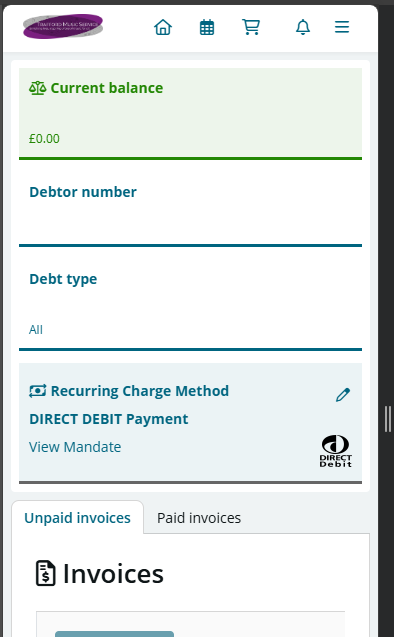
Setting up a Direct Debit only takes a few minutes.
Step 1
Log in to your SpeedAdmin account.
Step 2
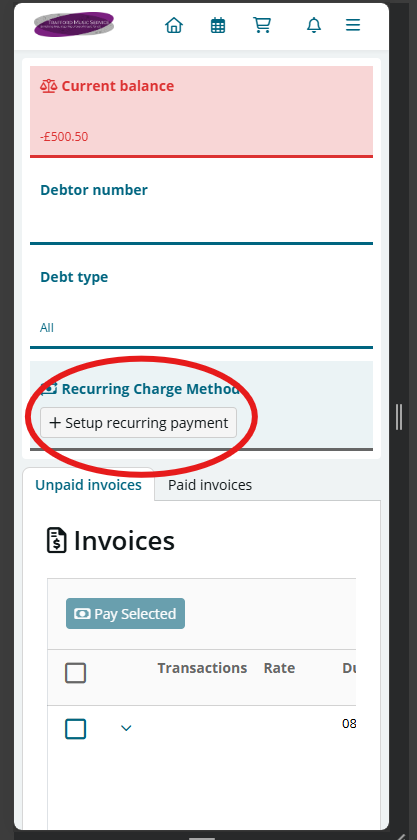
Navigate to the Invoices section via the menu icon (three lines) and select Set up recurring payment.
Step 3
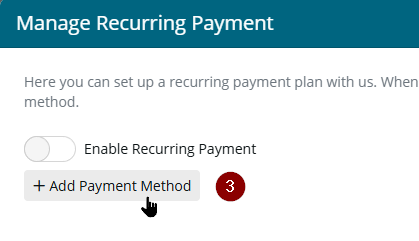
Select Add payment method
Step 4
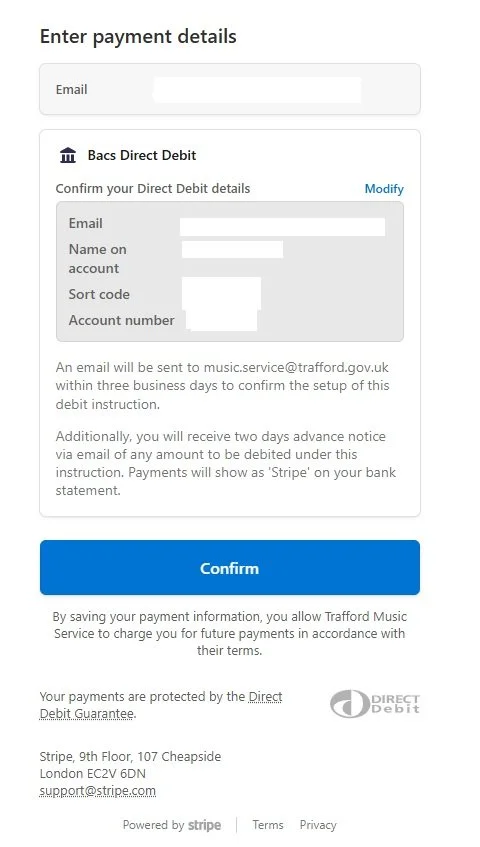
You will be redirected to a secure Stripe page where you can enter your bank account details.
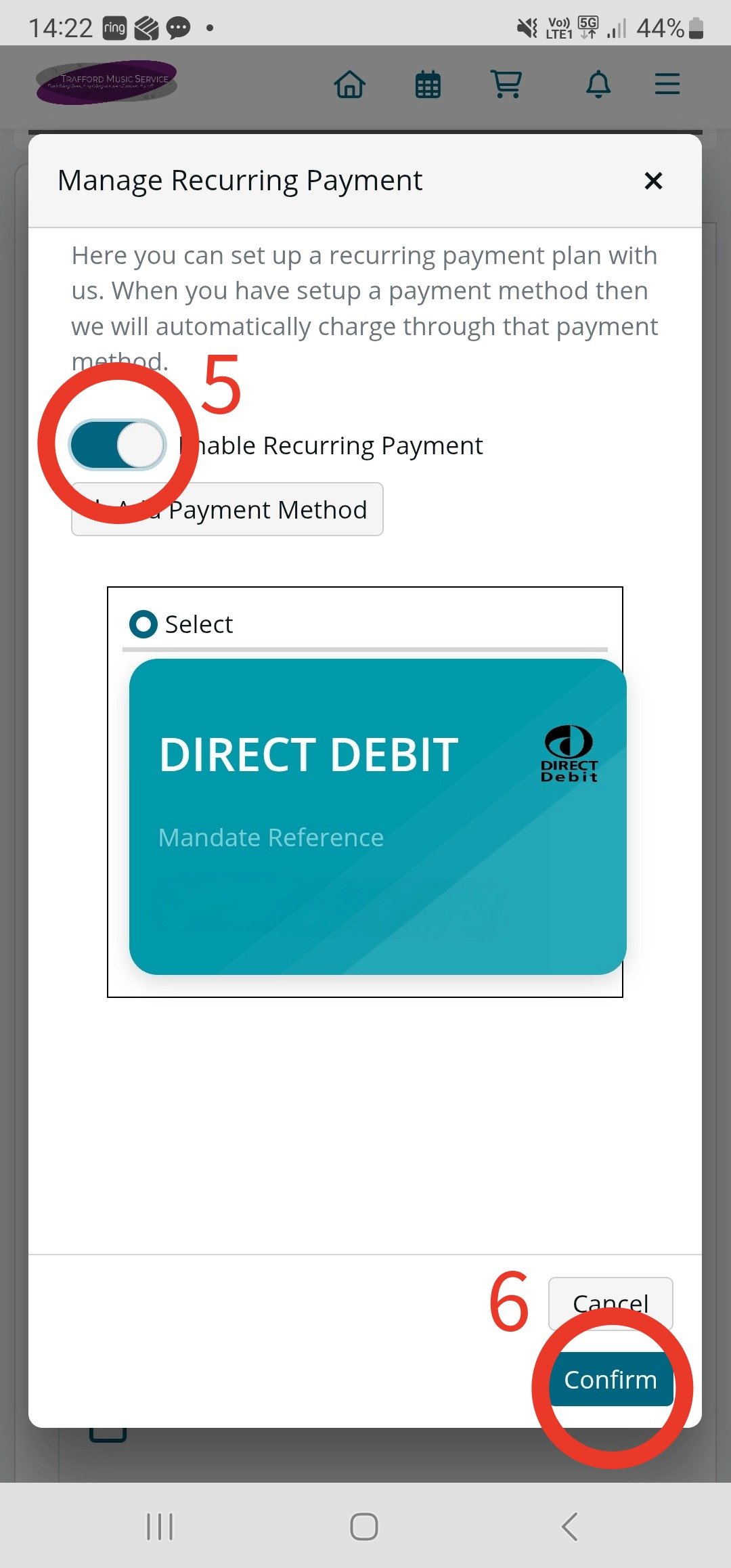
Step 5 and 6
You will be returned to your music service SpeedAdmin account - select Enable Recurring Payment and scroll down to select confirm the instruction.
This step is essential. Without it, your Direct Debit will not become active.
Final Step
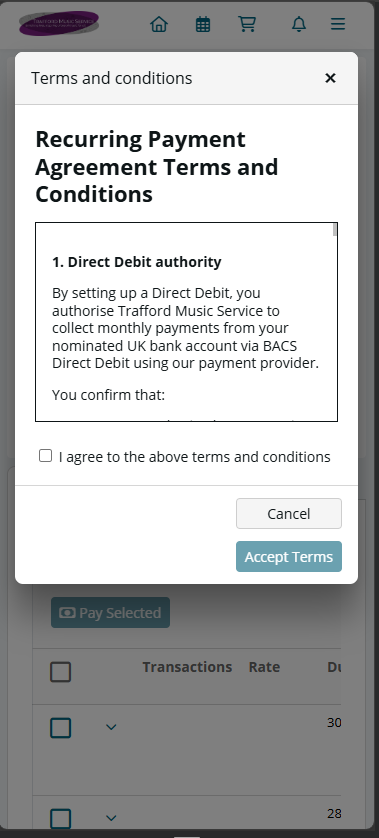
On the next page read and agree to the terms and conditions and select ‘accept terms’
Once successful you can view your mandate in the invoice tab next to Recurring Payments